Install from your browser
Plug the board into this computer, press Install and pick its port. Your browser writes the firmware, then asks for your Wi-Fi.
Most browsers can flash the board.
This browser can flash the board.
This browser can't flash the board.
The installer only works over HTTPS. Open this page on its site.
The installer talks to the board over USB through Web Serial, an API built into the browser.
The installer talks to the board over USB through Web Serial, an API built into the browser.
Open this page in Chrome, Edge, Firefox or Opera on a computer, or flash the image yourself.
- supportedChrome89+
- supportedEdge89+
- supportedFirefox151+
- supportedOpera76+
- not supportedSafari-
Current as of October 2026.More on caniuse
Chrome on Android 148+ can too, with a USB adapter. iPhones and iPads can't, of course.
For the ESP32-2432S028 board
What gets flashed
- Firmware
- cheap-rex-display 0.2.0, from the v0.2.0 release
- Built by
- this GitHub Actions run of the release workflow , from commit 588700a
- 0x1000
cheap-rex-display-0.2.0-bootloader.bin, 25 KB: the bootloader, which starts the chipsha256 408b544675fdea85800043f25da7fc533832d6280602e357f5e484d9754259bd- 0x8000
cheap-rex-display-0.2.0-partitions.bin, 3 KB: the partition table, which says where everything livessha256 148b959cbff1c38aa8e1d5c0ba9d612c54997b945e56a63f41223eef650653a1- 0xe000
cheap-rex-display-0.2.0-boot_app0.bin, 8 KB: the boot selector, which picks the app to startsha256 f94c5d786a7a8fab06ac5d10e33bf37711a6697636dc037559ea19cc410a17f0- 0x10000
cheap-rex-display-0.2.0-app.bin, 1053 KB: the app: the display, Wi-Fi setup and the watcher's APIsha256 7aecfd9ed1e4a75a2d81693b19208306d5eab05146c3abb077b2a628dfa26854
Four files, at the offsets the Arduino IDE uploads to. The gap from 0x9000 to 0xe000 is where the board keeps its Wi-Fi, and none of them write there.
The page itself is ESP Web Tools. It only talks to the port you pick, and only while this tab is open. Your Wi-Fi password goes from this page to the board over the cable, and nowhere else: this site has no server to send it to.
Steps
- Close any serial monitor, then plug the board in with a USB cable that carries data, becuase some cables are only capable of providing power.
- Press Install and pick the board's port. It has a CH340 chip, so look for USB Serial, CH340 or wchusbserial.
- Confirm, and keep it plugged in while it writes.PreviewInstallingesc
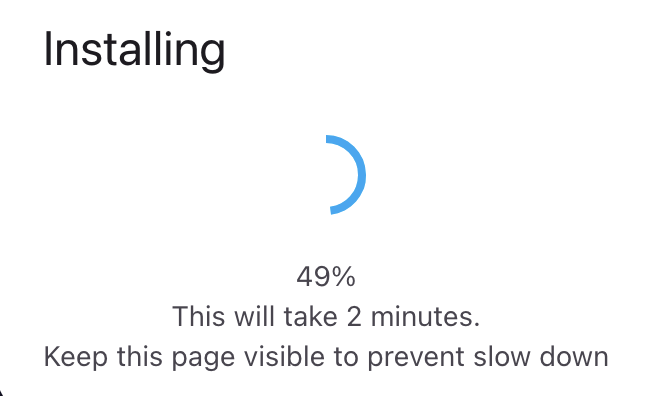 While it writes, the installer shows its progress and an estimate. Keep this page visible; a background tab can slow the write down.
 - When it asks, pick your network and enter its password. The board only sees 2.4 GHz networks. It joins, saves the network and restarts, then shows its address in the header.
- Start the watcher in Rex.
Skipped the Wi-Fi step? The board opens its own setup hotspot instead, see Wi-Fi.
Already running it?
The installer asks the board what it runs before it writes anything.
- Same version: there is nothing to install. It offers Wi-Fi setup, the logs, or erase user data, which erases the whole flash, Wi-Fi included, and installs it again.Fig. 1Same versionesc
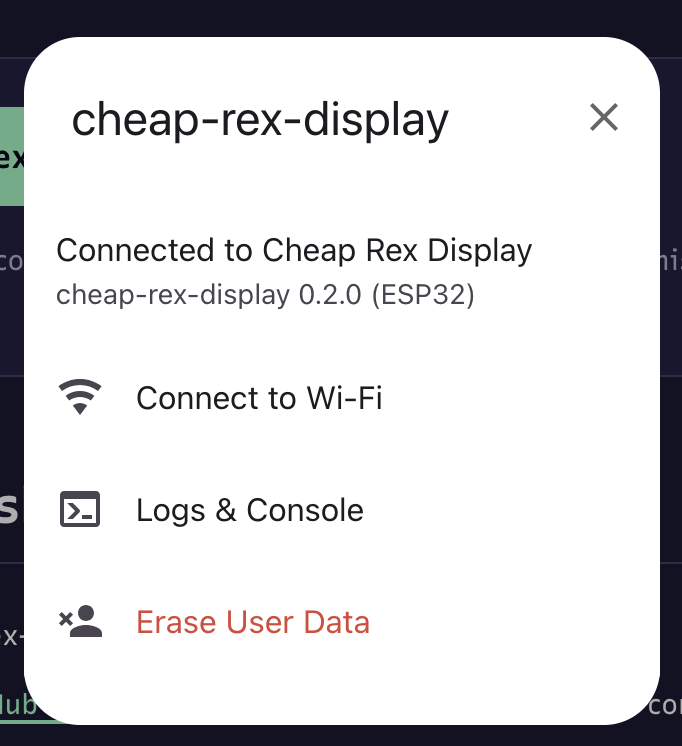 Wi-Fi, the logs, or erase. Nothing is written until you pick one.Read note 1
 - Another version: it offers an update. That writes only the four files, so the board keeps its Wi-Fi and joins it again on its own.
- Something else, or a board that doesn't answer: it's a new install. The installer erases the whole flash first, without asking, then installs and asks for your Wi-Fi. Whatever the old firmware kept is gone.
Going back
Nothing here locks the board. It's an ordinary ESP32 flash, so whatever you ran before goes back on the way it got there the first time: Arduino, PlatformIO, esptool or another web installer.
For an older version, or to flash without this page, download its -merged.bin from the releases and write it at 0 with esptool. It's the same four files as one image for the whole flash, so the board forgets its Wi-Fi too:
esptool --chip esp32 --baud 460800 write-flash 0x0 cheap-rex-display-0.2.0-merged.bin
This version's is cheap-rex-display-0.2.0-merged.bin, sha256 a1f5ae3768c854e4edf2deadd318bbf98046ade1431a3ecd45f6c4b669551728.
Or build it yourself, see Setup from zero.
If it doesn't work
- No port to pick: try another cable. On Windows, the CH340 may need its driver.
- It can't connect to the board: hold the BOOT button, press and release RST, let go of BOOT, then press Install again.
- It doesn't ask for Wi-Fi: press the board's RST button and press Install again. More in Troubleshooting.
Notes
Mentioned media. Open it for the full size.
The installer found the board already running this version. It offers Wi-Fi setup, the logs, or erasing the user data; it writes nothing until you pick one.